Older enterprise servers are a staple of many homelabs, but managing their baseboard management controllers in 2026 is an exercise in frustration. If you have ever tried to launch a remote console on an older Dell or Supermicro machine from a modern laptop, you know the drill: hunting down an ancient JRE, disabling modern security ciphers in configuration files, and fighting browser deprecation warnings just to see a boot prompt.
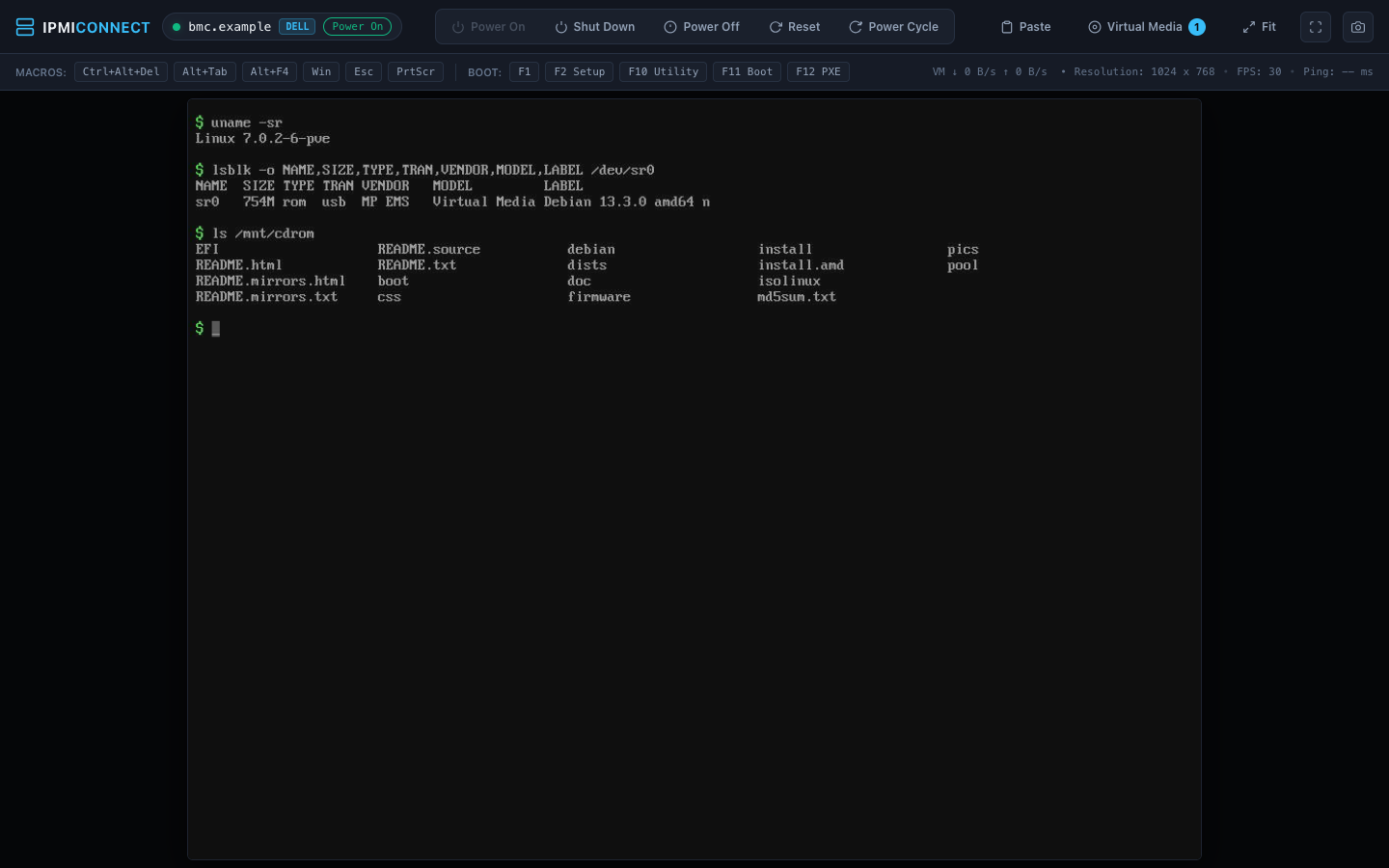
To eliminate that friction, I built ipmi-connect, a standalone Go tool that acts as a Java-free remote console for Dell and Supermicro BMCs. It speaks the underlying management protocols directly and renders the entire console inside a normal browser tab.
The problem with legacy BMC consoles Link to heading
My homelab currently runs two older platforms: a Dell PowerEdge C6220 II and a Supermicro X8DTL-6F. I really need to replace this hardware. It is old, loud, and thoroughly power-hungry. Every rational instinct says it belongs in an e-waste pile. However, with the cost of modern server components being what it is today, keeping this older iron running remains the practical choice.
The operational headache is that both boards rely entirely on Java Web Start (.jnlp) viewers for remote KVM access. Dell paired the C6220 II with an ASPEED AST2300 running Avocent firmware, whilst the Supermicro board uses a Winbond WPCM450 running ATEN firmware.
Getting either console running on modern operating systems, particularly on Apple Silicon macOS, is a battle:
- Modern Java runtimes reject the legacy
.jnlpfiles or fail to load obsolete 32-bit native libraries. - The BMCs use deprecated TLS 1.0 ciphers or self-signed certificates that modern security policies refuse to negotiate.
- Even when you coax an outdated JRE into launching the viewer, the vendor interface is clunky, scales poorly on high-DPI displays, and regularly drops keyboard or mouse input.
I got tired of repeating that ritual every time a node failed to boot.
What ipmi-connect does Link to heading
Instead of trying to keep legacy Java working on modern client machines, ipmi-connect replaces the client-side vendor software entirely. It is a single Go binary that connects to the BMC over your local network, negotiates the vendor KVM protocol, and serves a modern HTML5 interface locally at http://127.0.0.1:8080.
| Feature | Dell PowerEdge C6220 II | Supermicro X8DTL-6F |
|---|---|---|
| BMC hardware | ASPEED AST2300 (Avocent 2.62.5) | Winbond WPCM450 (ATEN 3.13) |
| KVM protocol | Avocent APCP (TLS on port 7578) | ATEN RFB 3.8 (port 5900) |
| Video streaming | Full (Go ASPEED decoder) | Full (Go Hermon decoder) |
| Input handling | Keyboard and mouse (USB HID) | Keyboard and mouse (USB HID) |
| Macros | Ctrl+Alt+Del, Function keys | Ctrl+Alt+Del, Function keys |
| Virtual media | ISO, IMG, folder images (read-write) | ISO, IMG, folder images (read-write) |
| Power management | Status and chassis control | Status and chassis control |
The web interface provides responsive video decoding, canvas-based mouse and keyboard tracking, scaling options, and a fullscreen mode with pointer lock.
Virtual media without Java or NFS Link to heading
One of the biggest pain points with old BMC viewers is attaching installation media. Some require hosting an ISO on a separate NFS or Windows share, whilst others stream the image through unstable Java applets.
ipmi-connect handles virtual media directly from your workstation:
- CD/DVD emulation: Mount any local
.isofile directly. I used this to boot and install Linux distributions over the network without touching physical USB drives. - Disk and floppy emulation: Attach raw
.imgfiles as removable disks or floppy drives with full read-write support. - Image creation: Generate blank floppy images or automatically bundle a local directory into a virtual disk on the fly, which is ideal for injecting driver files or kickstart configurations during installation.
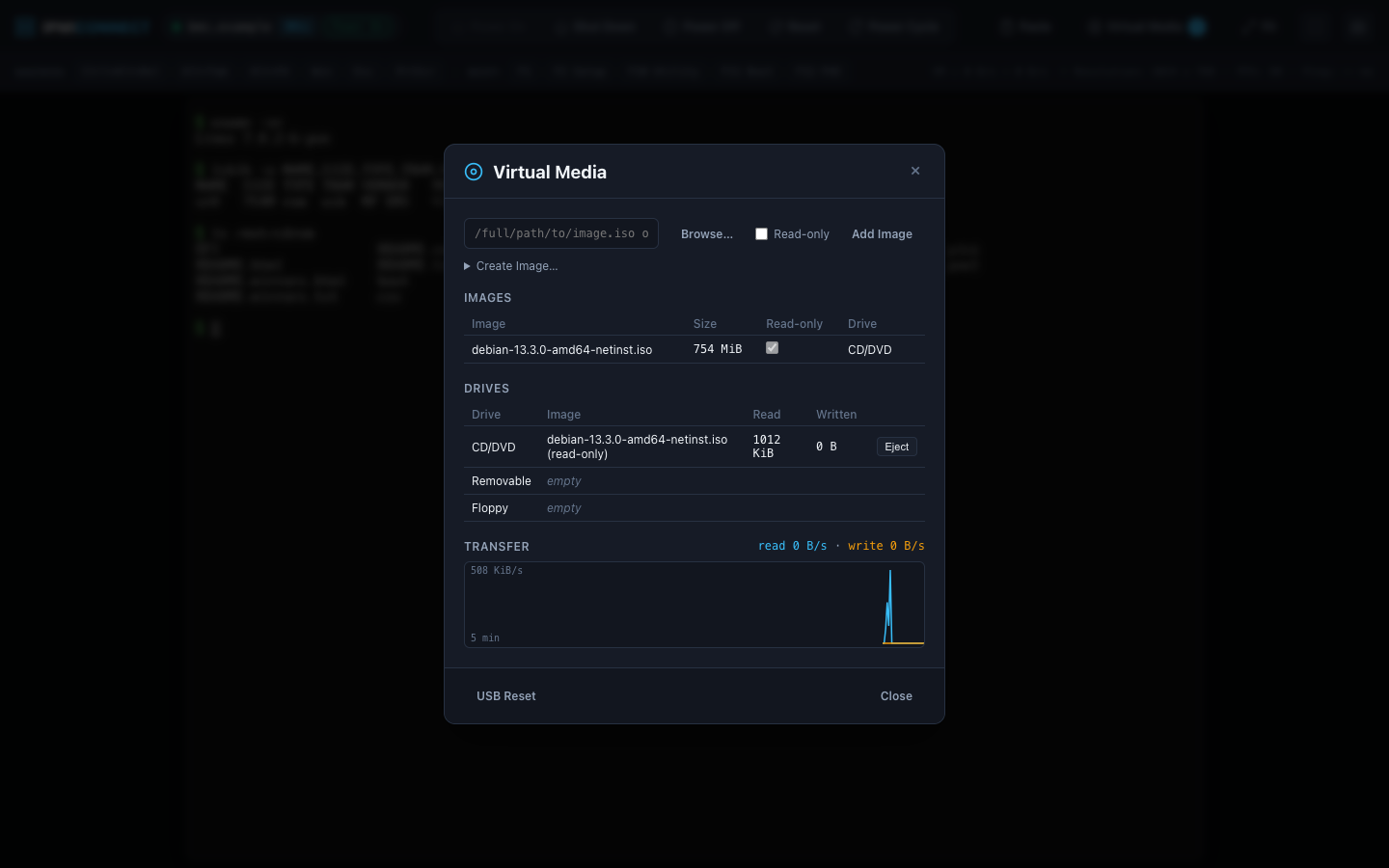
During testing on the Supermicro X8DTL-6F, a host wrote 16 MiB of random data to an attached virtual floppy, and the resulting file on the host machine matched byte for byte.
Safe power control Link to heading
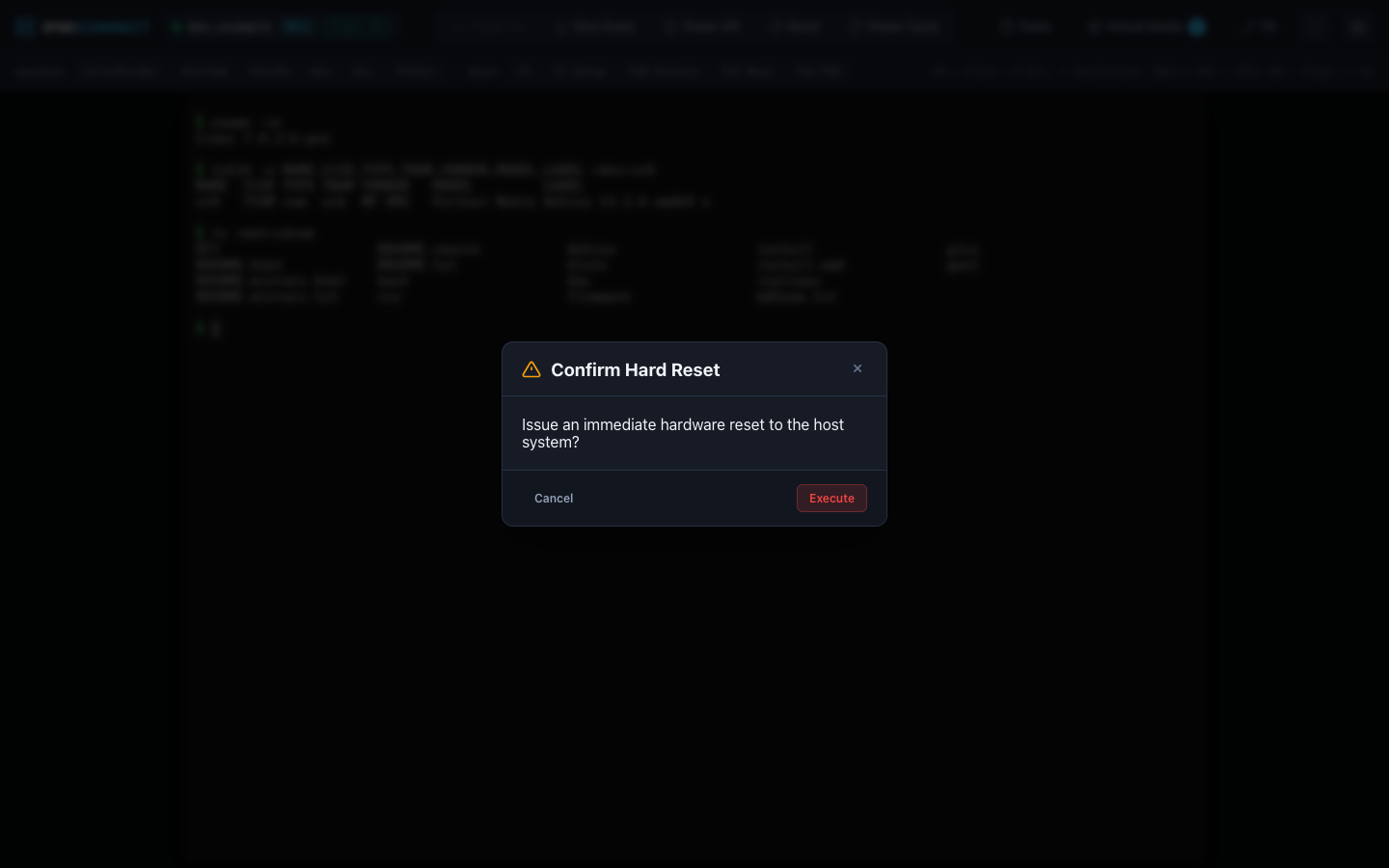
Accidentally triggering a hard reset when you intended to check system status is an easy mistake in clunky IPMI interfaces. ipmi-connect includes full chassis power control (power on, graceful shutdown, power cycle, and hard reset) guarded by a confirmation prompt.
Running a Java-free remote console with ipmi-connect Link to heading
If you have Go 1.27.2 or newer installed, you can install the binary directly:
go install github.com/mhamzahkhan/ipmi-connect/cmd/ipmi-connect@latest
Alternatively, pre-built binaries for Linux and macOS (both ARM64 and AMD64) are available on the GitHub releases page.
To launch a session, provide your BMC IP address:
export IPMI_CONNECT_PASSWORD='your-bmc-password'
ipmi-connect 192.0.2.10
By default, ipmi-connect attempts to connect as root, queries the BMC to identify whether it is talking to an Avocent or ATEN controller, launches a local web server, and opens your default browser. If you want to connect as a different user or run headless without opening a browser window automatically, use the provided flags:
ipmi-connect 192.0.2.20 -u admin --no-browser
To stop the session, press Ctrl+C in your terminal. ipmi-connect intercepts the signal and issues a clean logout to the BMC. This is especially critical on the Dell C6220 II, where the Avocent firmware permits only one active console session at a time; an ungraceful disconnect leaves the session locked until the BMC internal timeout expires.
Security considerations Link to heading
Because these BMCs predate modern network security standards, keep the following in mind:
- Network boundary: Older BMCs rely on TLS 1.0 with self-signed certificates, and the ATEN RFB protocol transmits video unencrypted. Run
ipmi-connecton a dedicated, trusted management network or out-of-band management VLAN. - Local binding: The local web console binds strictly to
127.0.0.1. WebSockets and API calls require an ephemeral token generated per launch, and the HTTP server enforces strict origin checks to prevent cross-site request attacks.
How it was built Link to heading
I want to be completely open: this project was vibe coded from start to finish. Without modern AI assistance, ipmi-connect would never have been written. The time required to reverse-engineer proprietary firmware protocols from scratch would have far exceeded the return on investment for two aging homelab servers. I would have simply continued grumbling every time I had to open a console.
I used REA alongside Gemini 3.8 Flash in Google Antigravity to analyse the decompiled Java applets and trace the BMC protocol packets. Once the protocol primitives were mapped out, Claude Opus 5.5 in Claude Code helped refine the architecture, structure the Go codebase, and build the test suites.
Crucially, every single protocol behaviour was validated against physical hardware. The ASPEED video decoder was tested bit-for-bit against Aspeed reference streams, and disk writes over virtual media were verified using cryptographic checksums.
What is next Link to heading
Having a modern web application serve the console opens up several useful possibilities. Right now, ipmi-connect runs as an ephemeral local CLI command. A natural next step is packaging it as a containerised service running persistently on an internal management host. Once deployed as a shared internal service, you could access an emergency server console from a tablet or phone without needing Go or terminal tools on the client device.
If you are running Dell C6220 II nodes or Supermicro X8 boards and dread touching their consoles, give ipmi-connect on GitHub a try.